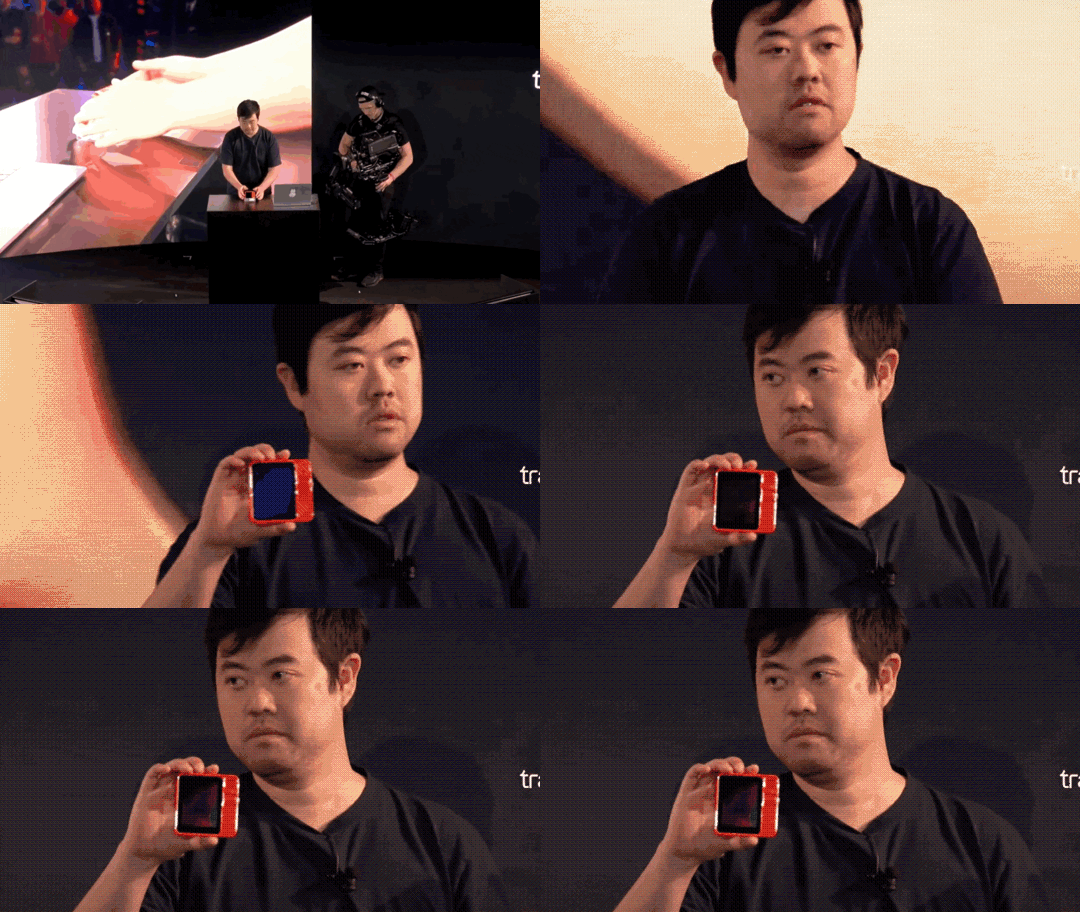
At 8:00 PM ET on April 23, Rabbit held its new product pickup event for the Rabbit R1 at the TWA Hotel in New York. During the event, the company's founder, Jesse, demonstrated the R1's UI, operational logic, and features.
Fig 1 Rabbit r1 appearance
Regarding the product itself, we believe the R1 is a product with certain utility value and is also quite interesting. The operational logic is excellent, resembling the logic of early iPods, yet it doesn't feel outdated at all.
Fig 2 Shake to enter the settings menu Fig 3 Use the right scroll wheel to select items Fig 4 Scroll wheel to switch camera direction Fig 5 Hold horizontally to activate the keyboard in Terminal mode
Fig 6 The scroll wheel can be used for horizontal selection and moving the cursor
Of course, the primary operation of the Rabbit R1 is not achieved through physical touch but through voice interaction. Jesse demonstrated several basic functions of the R1. First, in the basic search function, Jesse asked a simple question and a complex question:
Q1: What's the current weather in Los Angeles?
Q2: Who won the 2011 Formula 1 Drivers' Championship? And while you are at it, who is the designer of the car that won the championship?
For both questions, the R1 provided very accurate answers accompanied by voice reporting. In the second question, the R1 not only correctly identified the driver and the car designer but also provided additional information about the designer.
A2: The 2011 Formula 1 Driver's Championship was won by Sebastian Vettel, driving for Red Bull Racing. The designer of the car that won the championship was Adrian Newey, who has more than 20 Formula 1 world championships to his name, when you combine both drivers and constructors titles.
However, one point that cannot be ignored is that the R1's response speed is not fast. For the weather question, it took about five seconds to return an answer after Jesse finished asking. We believe there might be two reasons for this: first, the R1 currently only supports 4G LTE networks; second, the R1's computation is not local but relies on third-party APIs. Consequently, the speed of obtaining answers is inevitably limited by the operational speed of these third-party APIs.
Speaking of APIs, the R1 already supports the three major LLM providers: OpenAI, Anthropic, and Perplexity. Considering that the R1 is a hardware product priced at $199 with no additional subscription fees for customers, integrating these three major APIs is quite generous. However, from another perspective, the R1 does not possess its own core AI capability; what Rabbit R1 is doing now is merely integration.
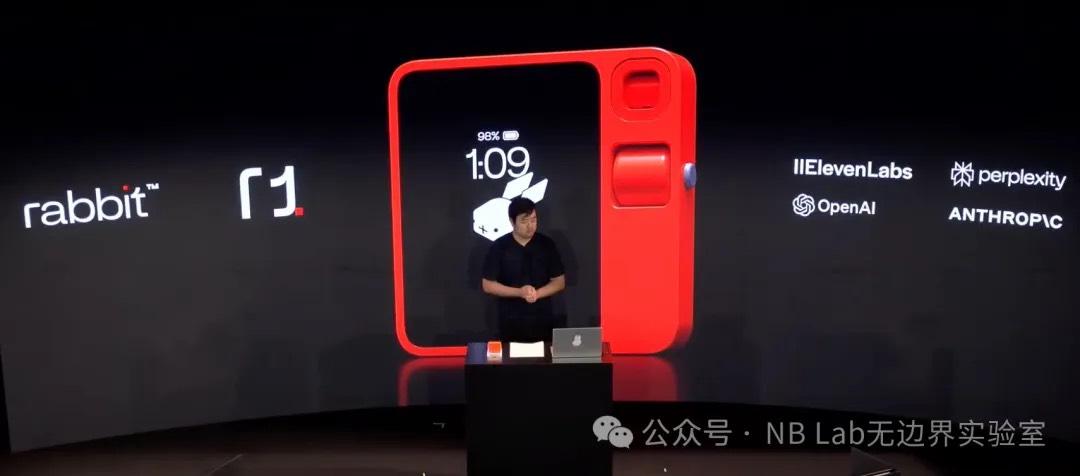
Fig 7 LLM APIs currently supported by r1
Image recognition and OCR are major highlights of the Rabbit R1—not because they are better than mainstream smartphones, but because they exceed our expectations. After all, how good can the image quality be for a device costing only $199? Yet, the R1's accuracy in image recognition is respectable, thanks to increasingly mature image recognition algorithms.
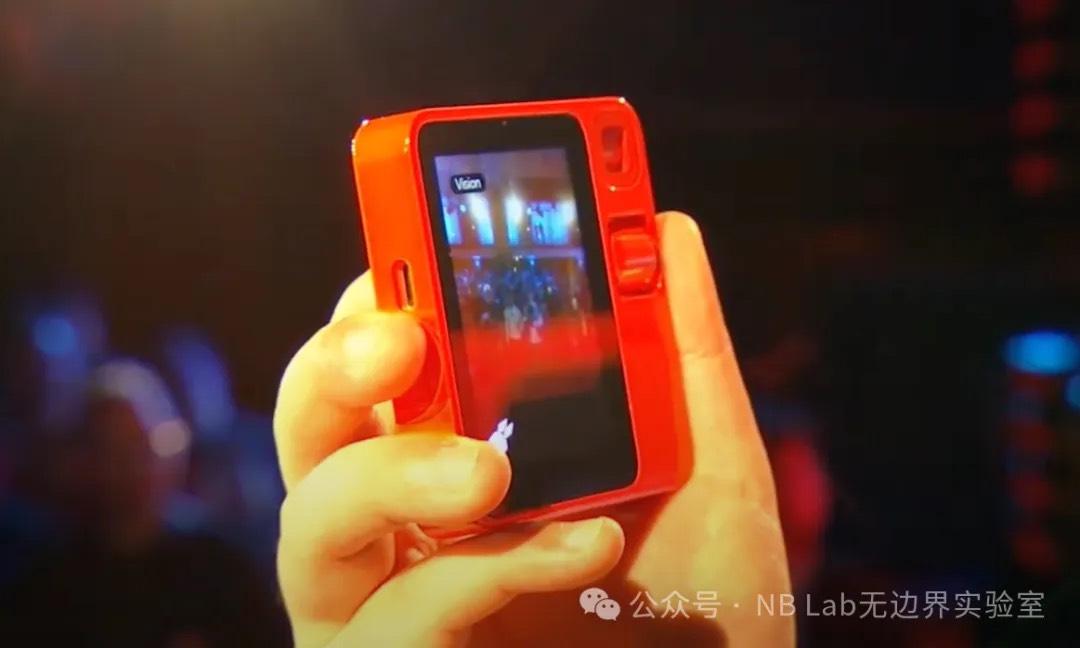
Fig 8 r1 using the rear camera
Notably, in the second demonstration of image recognition, Jesse asked the R1 to recognize a handwritten table and swap the positions of two columns. The R1 successfully completed this task and sent the electronic spreadsheet to Jesse's email. The action of the R1 sending the spreadsheet to an email means it gives users the authority and capability to define workflows and data flows, which is a good design.
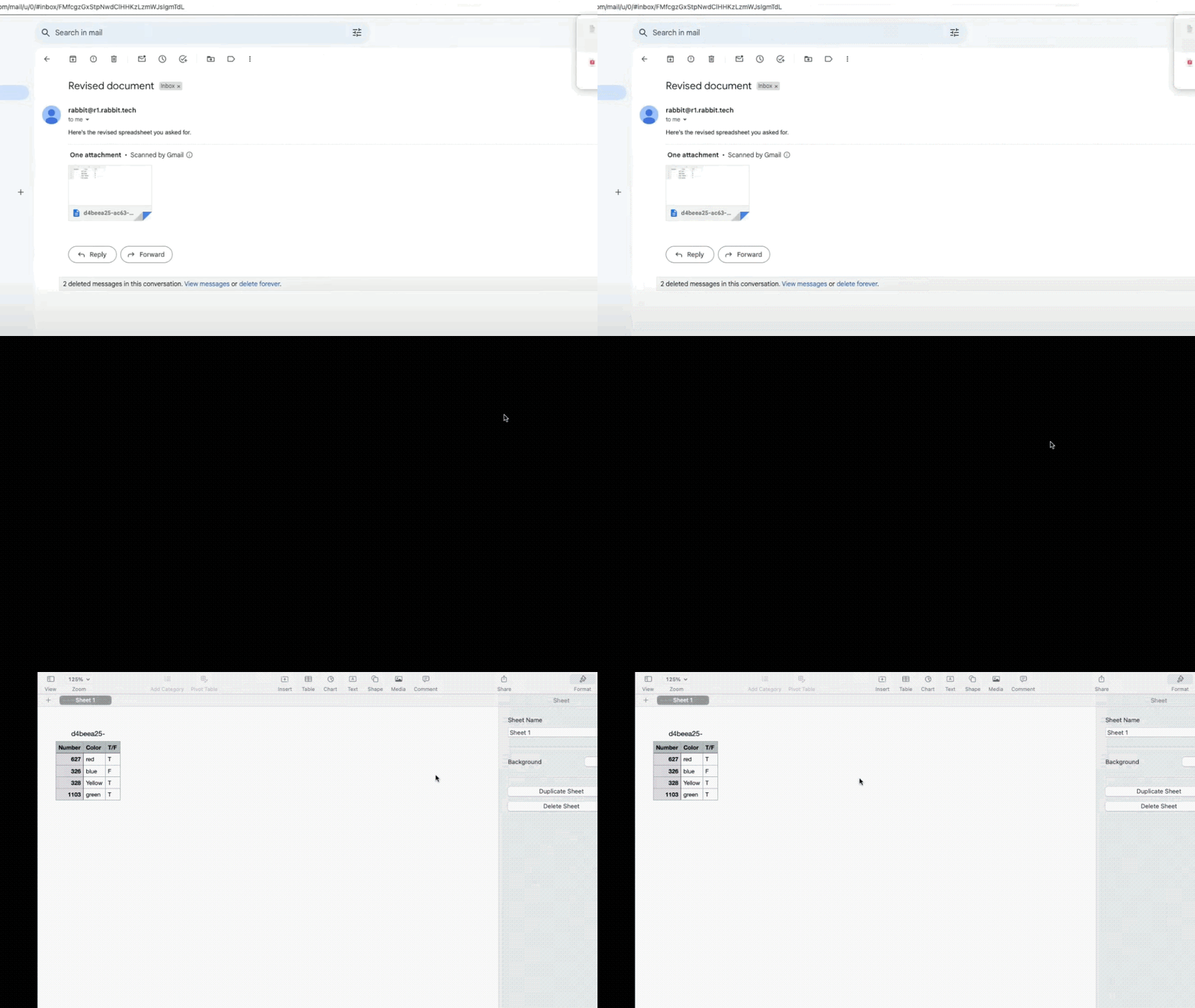
Fig 9 Table automatically sent to email after processing
Next, Jesse demonstrated the R1's note-taking feature, which essentially consists of voice-to-text and audio recording. A standout feature is that Rabbit provides a note-taking platform called "Rabbit Hole" for the R1, which can record note content and timelines with embedded AI analysis. Based on the live demonstration, we found the performance in summarizing audio key points to be less than ideal.
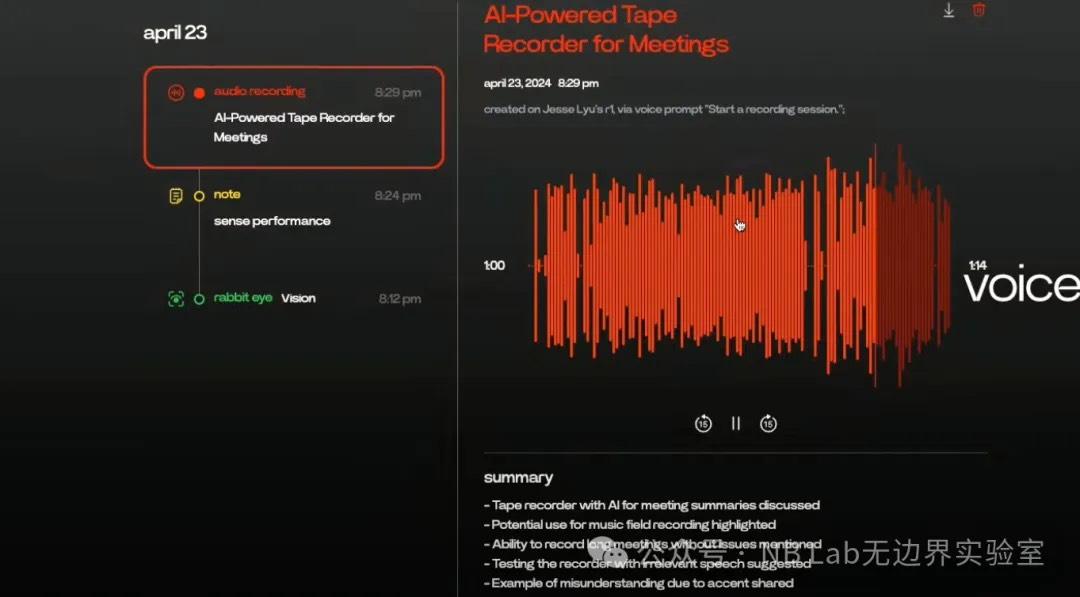
Fig 10 r1 note-taking platform
LAM (Large Action Model) is a core feature of the R1, which essentially allows users to control apps via voice. Jesse first demonstrated the simplest function: music playback. The R1 responded extremely quickly to this request, opening Spotify on macOS and playing music within a second. Next, Jesse demonstrated the more complex logic of ordering food. Jesse stated that this function does not use any APIs or SDKs but relies entirely on the large language model to understand natural language and execute commands. He also noted that a major drawback of this mode is that its execution speed is limited by the processing speed of the ordering platform. In the actual demonstration, the R1 failed to recognize Jesse's request to buy McDonald's on the first try ("Can you get me McDonald for food please?"), simply jumping to the DoorDash homepage. On the second try, after Jesse stated his request more clearly ("Let's go to McDonald."), the R1 correctly navigated the webpage to the McDonald's order page, though it took a long time—about ten seconds. After the selection was complete, the chosen order appeared in the DoorDash cart.
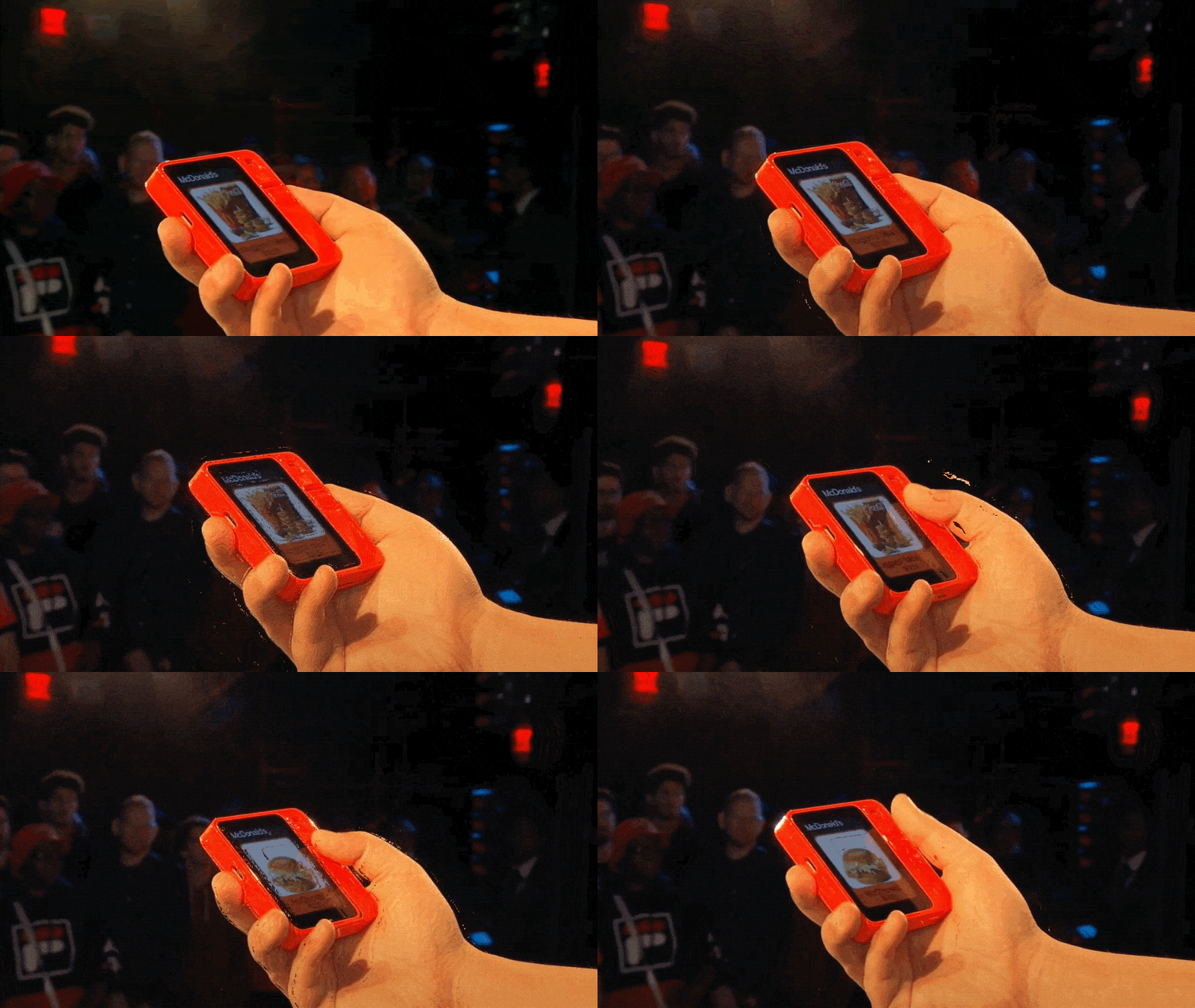
Fig 11 r1 McDonald's ordering interface
It is worth noting that Rabbit seems to have designed a custom UI specifically for DoorDash; we saw a similar redesigned UI for the Uber application later.
Fig 12 r1 Uber ordering interface
This might mean that all LAM applications on the R1 require redevelopment. On such an "irregularly shaped" device, we believe operational logic could be a major barrier to development efficiency. Additionally, the development progress of LAM-compatible apps in the product's early stages will be a significant factor affecting usability and the software ecosystem.
Complementing the Large Action Model is Teach Mode, which we consider the most significant and innovative feature of the Rabbit R1. Teach Mode essentially hopes for users to continuously provide training sets for the R1, where the independent and dependent variables are the name of a specific action and its concrete operation. The live demo showed how to train the R1 to purchase a phone on Amazon. First, the user needs to describe the task in the "Task Description" on the right—in this case, selecting a blue 128GB iPhone 14 and adding it to the cart—and then perform the action on the webpage.
Fig 13 r1 Teach Mode
Rabbit's vision is to mature the model through extensive training, similar to how Tesla uses user data to train FSD. We think this is an extremely interesting idea, but we don't have high hopes for the R1's success in this regard. The R1 seems to want to understand webpage operational logic solely through images; while we believe this is feasible, the amount of data and computing power required would undoubtedly be massive. Based on the current demonstration, Teach Mode's performance is not ideal, and Jesse stated that Teach Mode would not be open to all users in the first half of the year, limited only to beta testers.
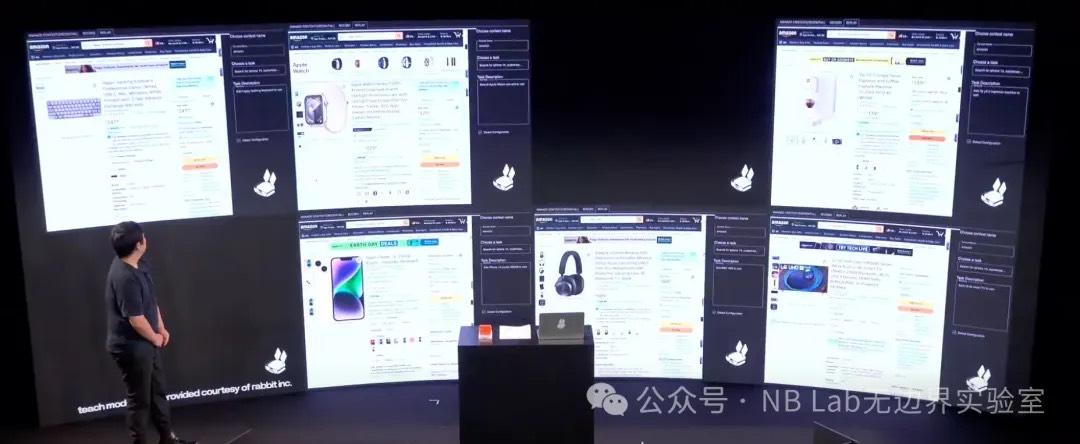
Fig 14 Teach Mode batch training
Overall, as the first piece of AI hardware, the Rabbit R1 itself is definitely excellent, but its barrier to entry is not high. As mentioned, the R1 lacks core AI capabilities and is instead an integration of AI APIs. Its underlying AI capability is not its core competitiveness; rather, its biggest advantage is the $199 price point with no extra API subscription fees.
Another major takeaway after watching the launch event is that, in the face of smartphones, the R1 is redundant to some extent—note, to some extent. All of the R1's functions can be implemented on today's mainstream smartphones at the hardware level, though perhaps not as elegantly. When these functions migrate to phones with the intent of turning a traditional phone into an "AI Phone," they will inevitably be more clunky due to the bloated nature of underlying systems. We have always believed that a true AI Phone is not about text-to-image or text-to-video, but about having an agent inside the phone that helps you automatically process non-standardized tasks, like the Amazon phone purchase case in Teach Mode. At this level of requirement, only Apple has the potential capability because it is sufficiently integrated (controlling the underlying system) and has a massive user base (data).
Teach Mode is actually very similar to an Apple app: Shortcuts. Shortcuts is a powerful automation tool designed for iOS, iPadOS, and macOS that allows users to improve efficiency by automating complex tasks. Through this app, users can create a series of automated actions triggered by simple actions like tapping a button, arriving at a location, reaching a set time, or using a Siri voice command.
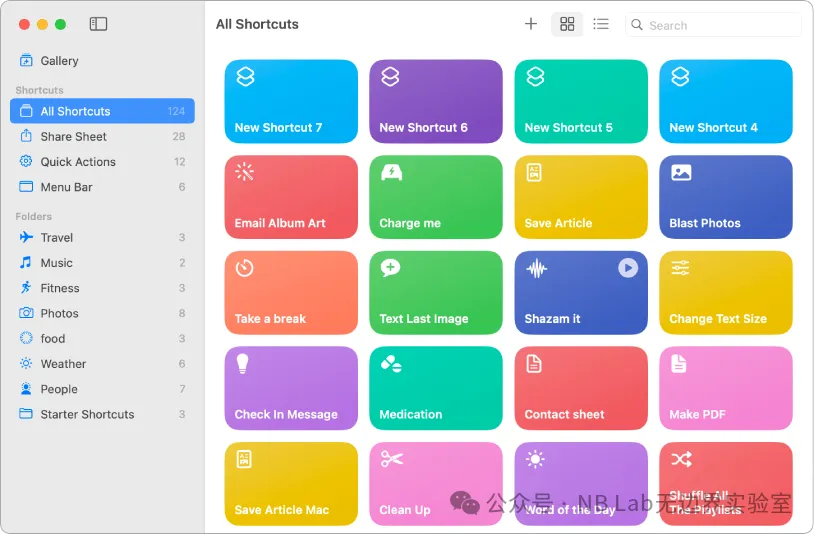
Fig 15 iPad preset shortcuts
The results aimed for by Teach Mode are essentially the same as the content in Shortcuts. However, Shortcuts are edited by users rather than trained. Shortcuts can be understood as a labeled dataset; thus, the numerous instructions accumulated in Shortcuts over the years could actually be used to train Apple's own Teach Mode—a point Apple might not even have realized back then.
Even without Shortcuts, Apple remains the most promising candidate to implement a direct training method like Teach Mode. This is because Apple controls the deepest layers of the iOS system. In the eyes of users, they are simply providing visually explicit operational logic to the system, but in reality, Apple can read the underlying operational logic through iOS. Why not Google's Pixel? Because the user base is too small, and the available data is quite limited compared to Apple's.