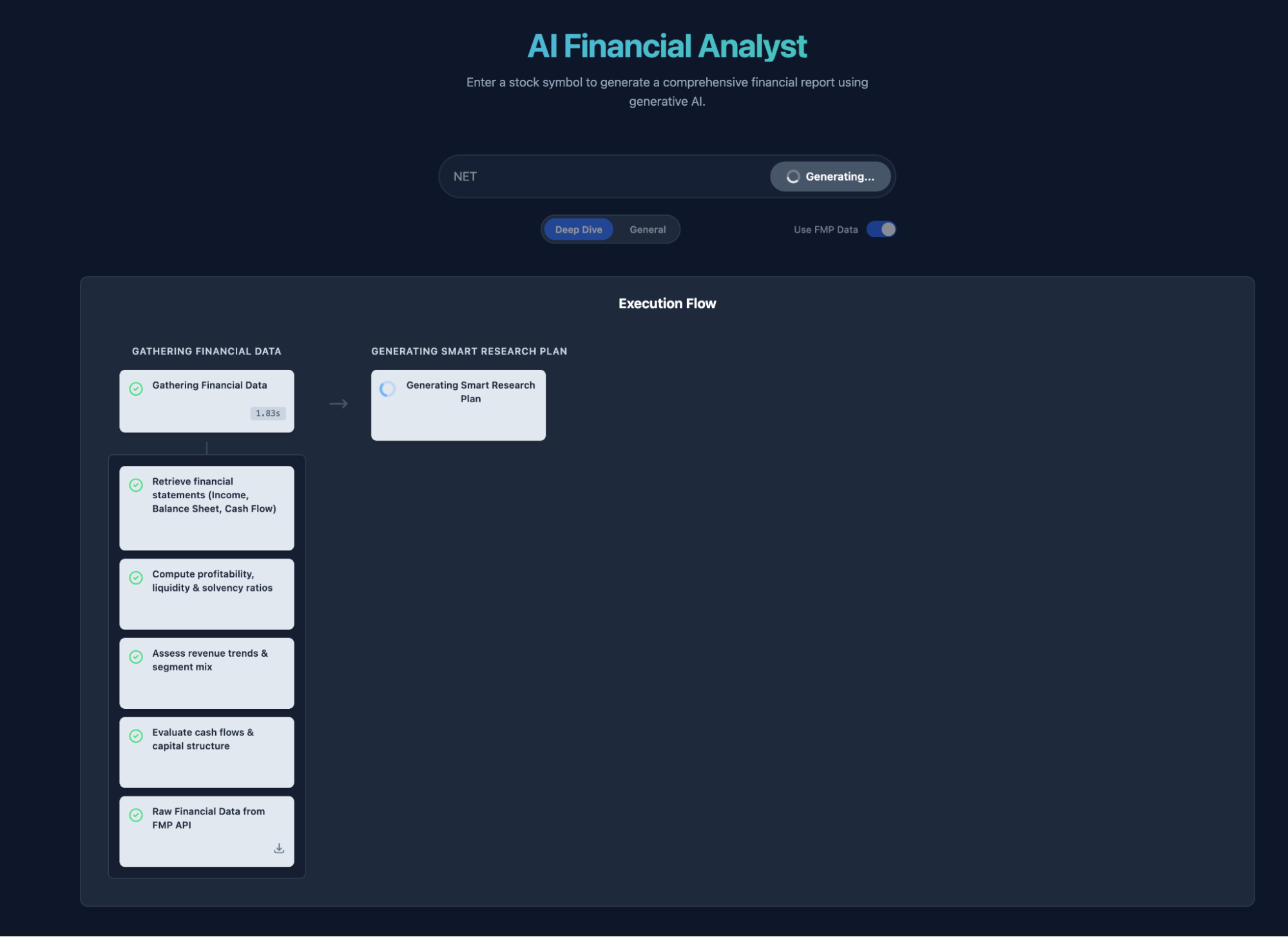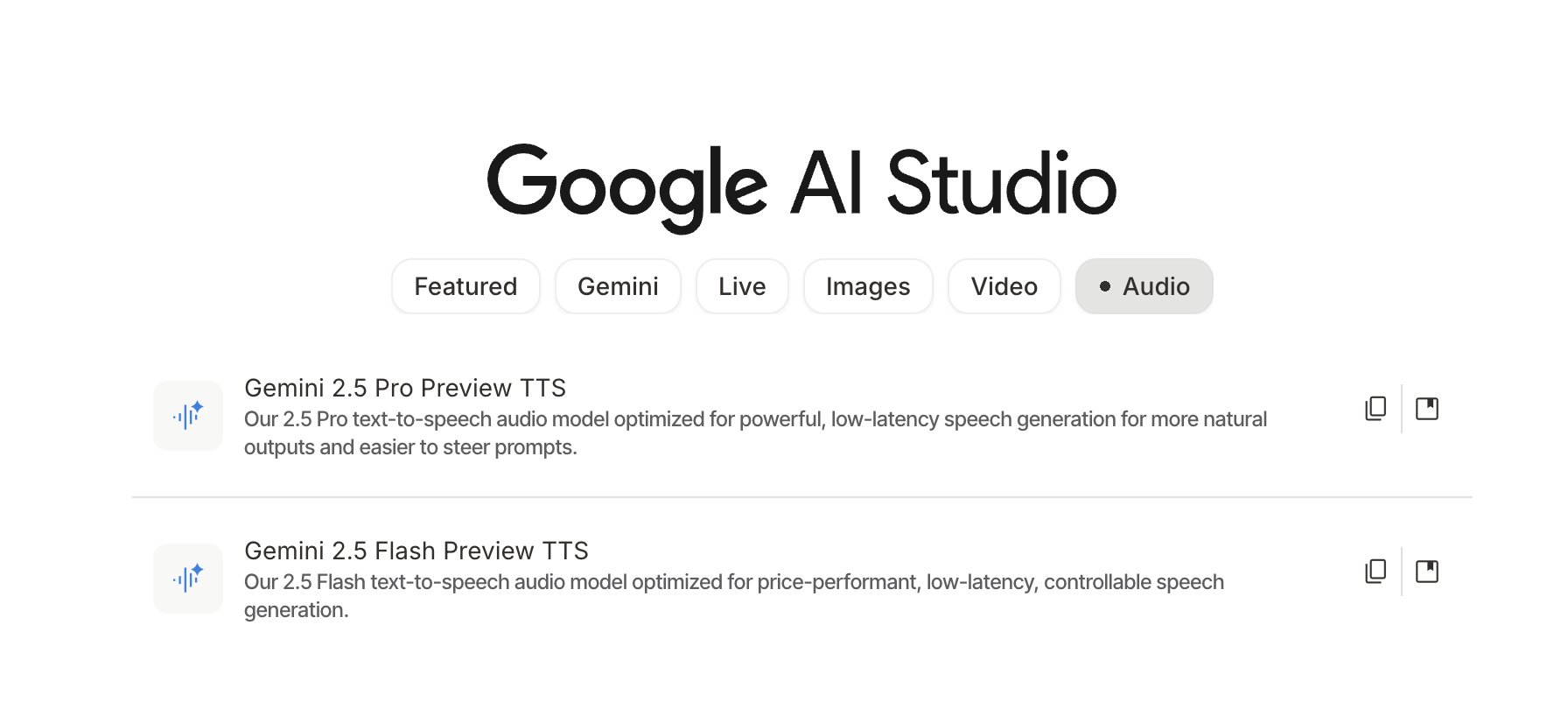
Thank you all for your support. In the last application share, there were "OR" conditions for unlocking, and two of them were met. So today, I am unlocking the second daily-use tool developed using Gemini AI Studio's Build: Narrator. Originally, it was meant for report visualization, but I always wanted to add audio narration. Finally, around October 20th, Build was able to smoothly call two TTS models. Thus, the application evolved from Visualizer to Visualizer and Narrator, abbreviated as Narrator.
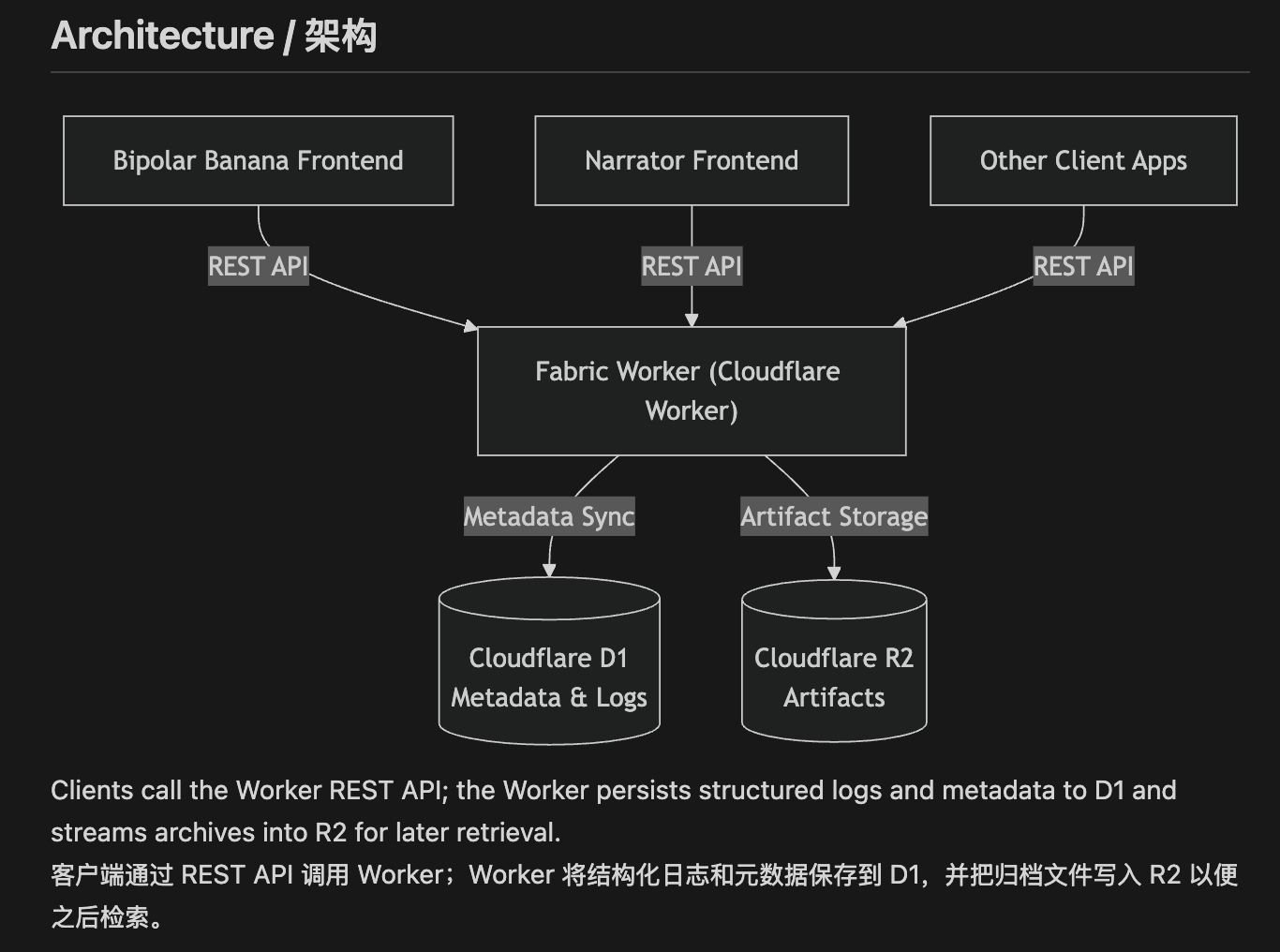
Of course, I've also added support for Cloudflare backend interfaces and integrated it into the fabric project: https://github.com/dmquant/fabric
I have also enabled sharing in AI Studio. Friends with AI Studio access can visit it directly: https://ai.studio/apps/drive/15RVSylPfO98uPN8GI1Kv52FuMm44DubE
After continuous modifications during this period, the current project has become a bit of a "mishmash," feeling like it has exceeded the design capacity Google intended for Build.
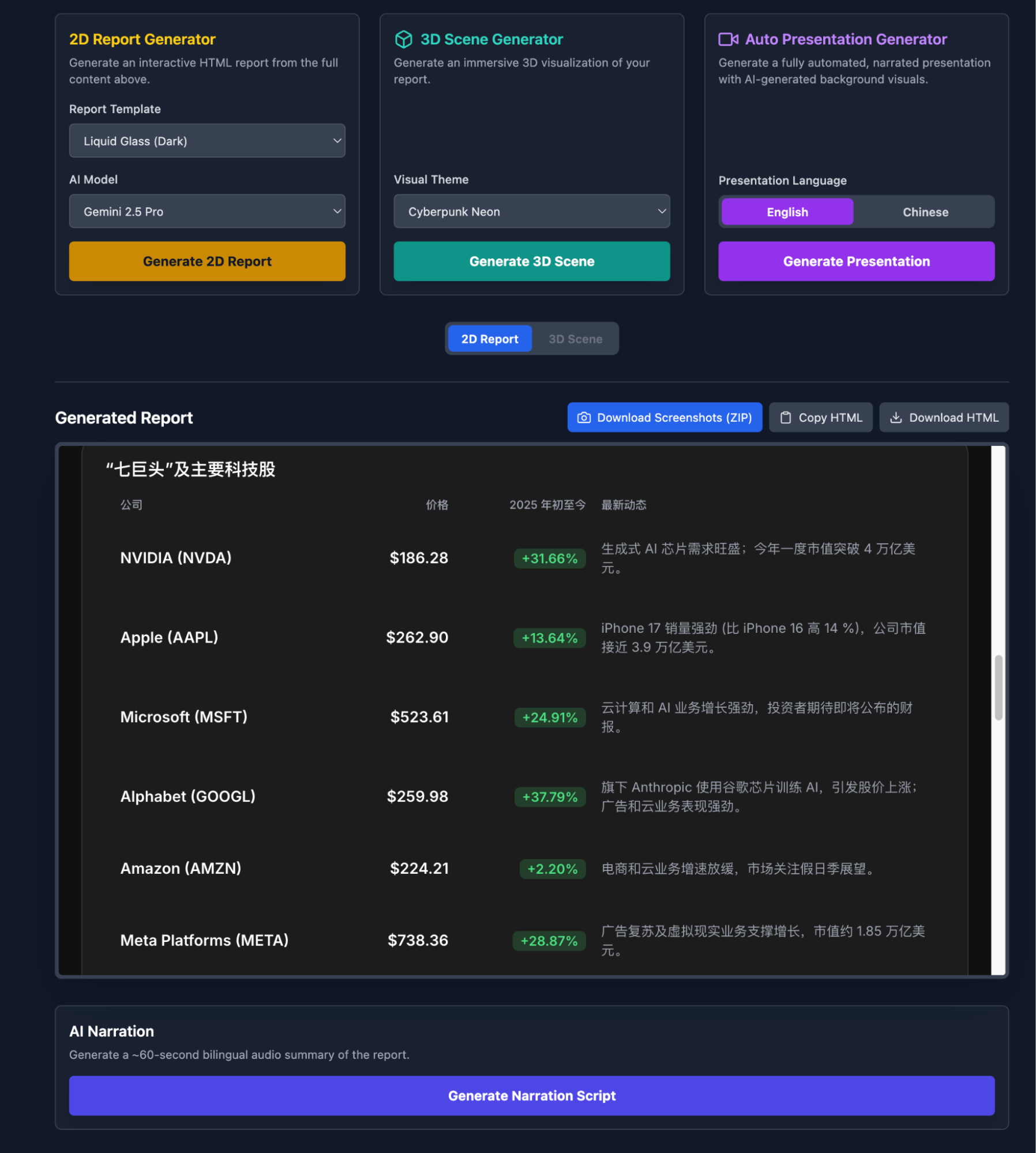
Briefly, the features are:
- 2D Report Visualization: Currently set with four style templates, model selection, support for switching between Chinese and English, and the ability to generate scripts for narration;
- 3D Scenes: This is an experiment, which I'll expand on slightly later;
- Auto-Demo Mode: Visualized slides + audio in one go, with automatic playback. You only need to record the screen to generate a video. I posted one episode on my Video Channel;
This is a tool I use almost every day, tweaking details as I go. It's probably the best representation of Gemini's model capabilities: code generation + images + audio. Achieving stable multimodal results in such a reusable way every day is certainly unparalleled.
Moreover, it can continuously evolve. For instance, the 3D studio is something I've been pondering over the past few days.
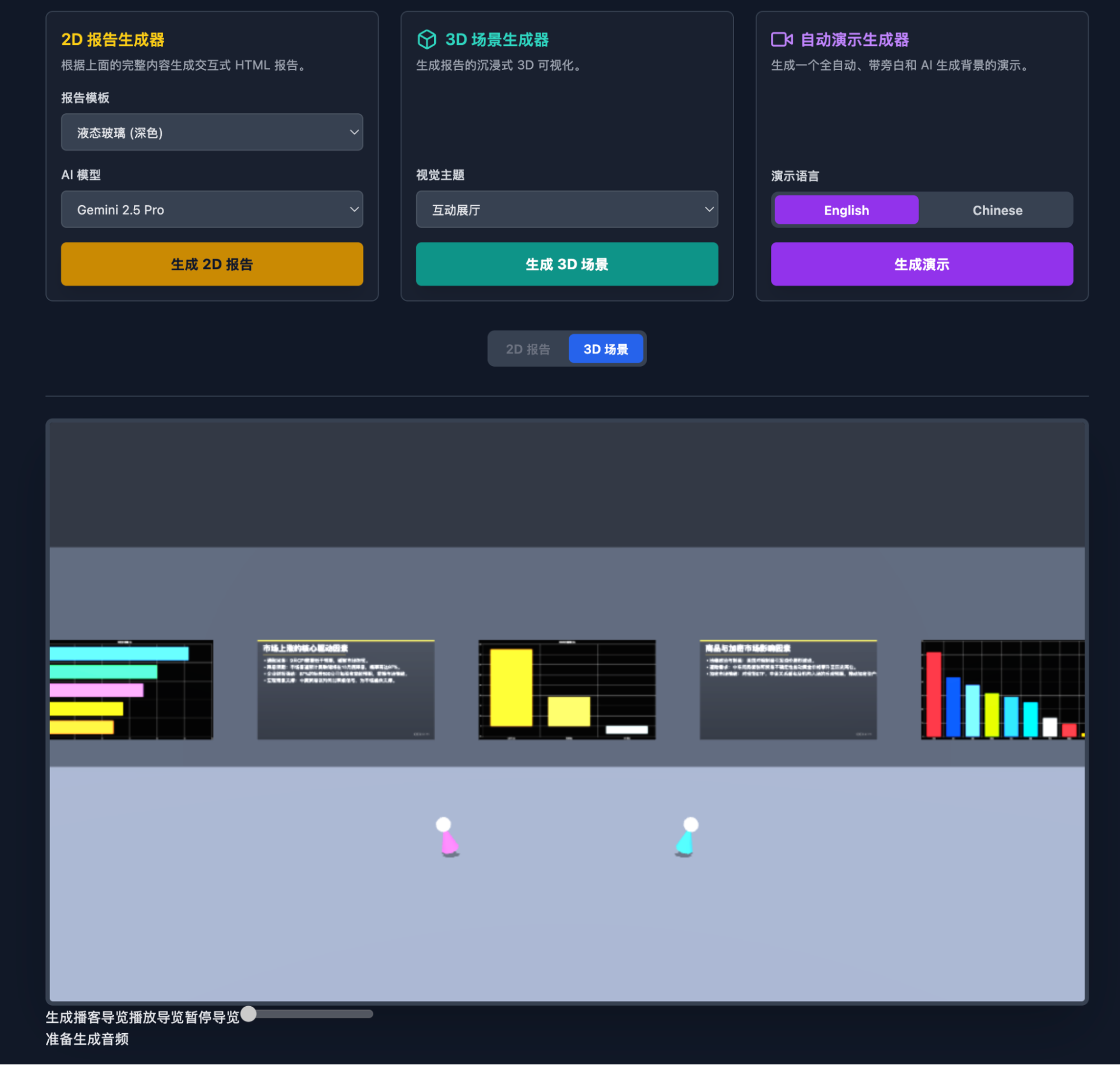
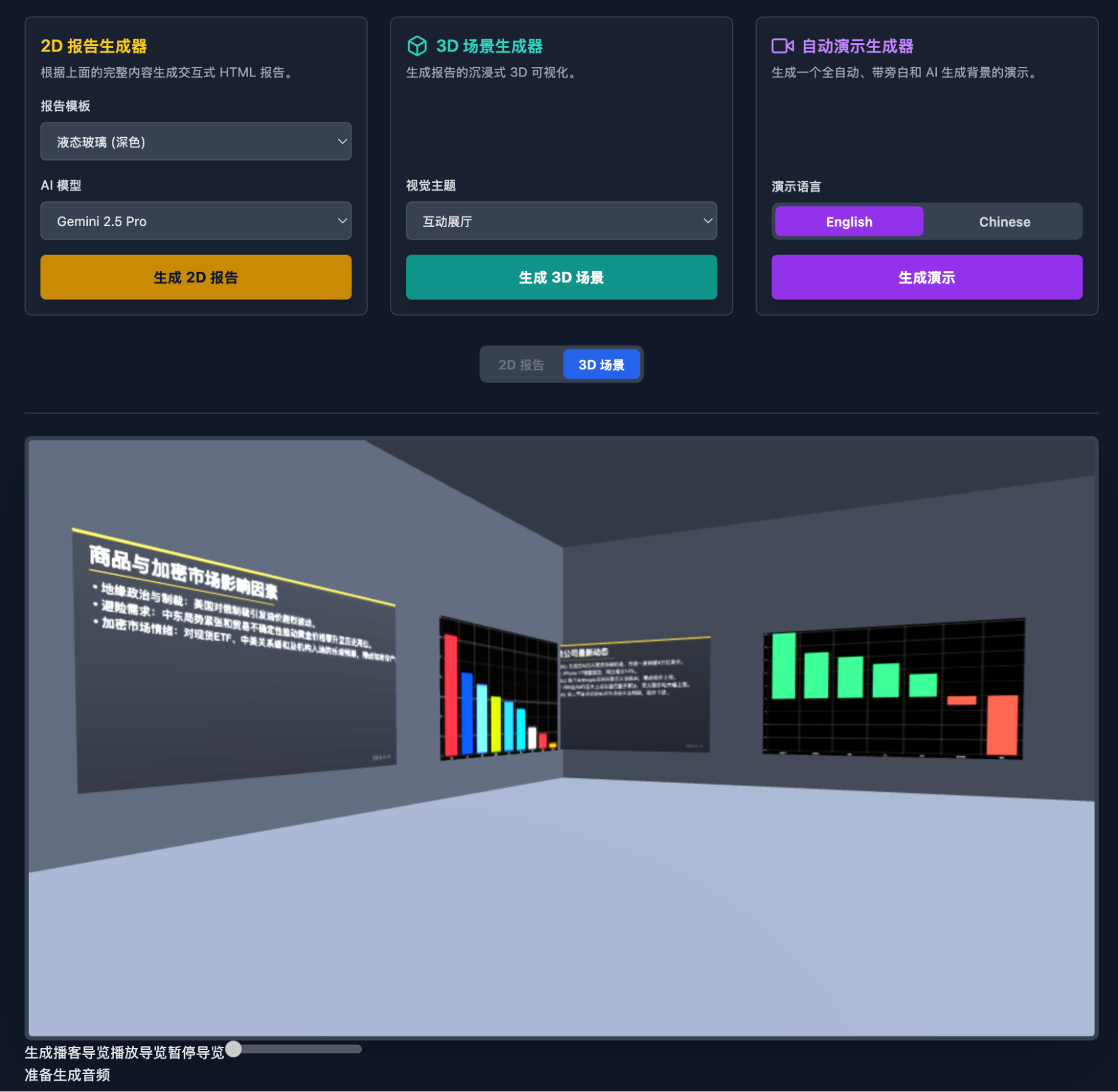
This also features voice and auto-playback; those interested can give it a try. Considering Build can't handle very large 3D scenes—and since "3D reconstruction" is a topic I've spent years researching—I will move this part out of Build and expand it using Blender. Additionally, in limited trials with models rumored to be Gemini-3.0, I've gained more confidence in the model's 3D spatial understanding. Or rather, it was this confidence that brought me back to experimenting with the 2.5 model.
Is this proof that both "models can improve" and "models are already very strong, the key is how to tap into their potential"?
Actually, there are more details to share, but I'll leave those for interested friends. There are still many issues in the code, including prompts and workflows, which I'll also leave for those interested.
I've modified this project many times, so using it to discuss vibe coding might be meaningful. I once wrote a piece on the key points of vibe coding; here, I'll organize and make them more concrete.
Firstly, Build is truly the best vibe coding tool, perfectly embodying the "essence" of vibe. To me, this isn't even coding; it's vibe working.
Secondly, I'd summarize the process into four steps: 1. Initial idea and first build; 2. Back to design; 3. Improvement; 4. Use, and return to step 2. Yes, I'm using a coding habit from thirty years ago: the "GOTO" from BASIC. When I learned programming, I barely knew the alphabet. The first English words I learned were {BEGIN, END, IF, THEN, LOOP, DO, WHILE, GOTO}, and BASIC. AI Coding has brought me back to that moment, and I'm very happy.
This is why I look down on the so-called Agent tutorials being spread everywhere now—this is the most basic procedural thinking, okay?
Back to the topic:
- Initial Idea and First Build. This is where I conflict most with my previous points on vibe coding. Previously, I said the first step is always design. However, Build is a very different application; its code architecture is light, so you should use the simplest description at the first moment to let Build "play freely" and see what comes out. This MVP version trial effectively helps you clear your mind and propose more specific requirements.
- The second step is Design. Design is split into two parts: I give the code and UI from the first build to both the Gemini-2.5-Pro Deep Think model and GPT-5-Pro for detailed design. I also use the Gemini-based design app Stitch for UI design. Stitch has become indispensable to me; page designs can be exported as code or directly to Figma.
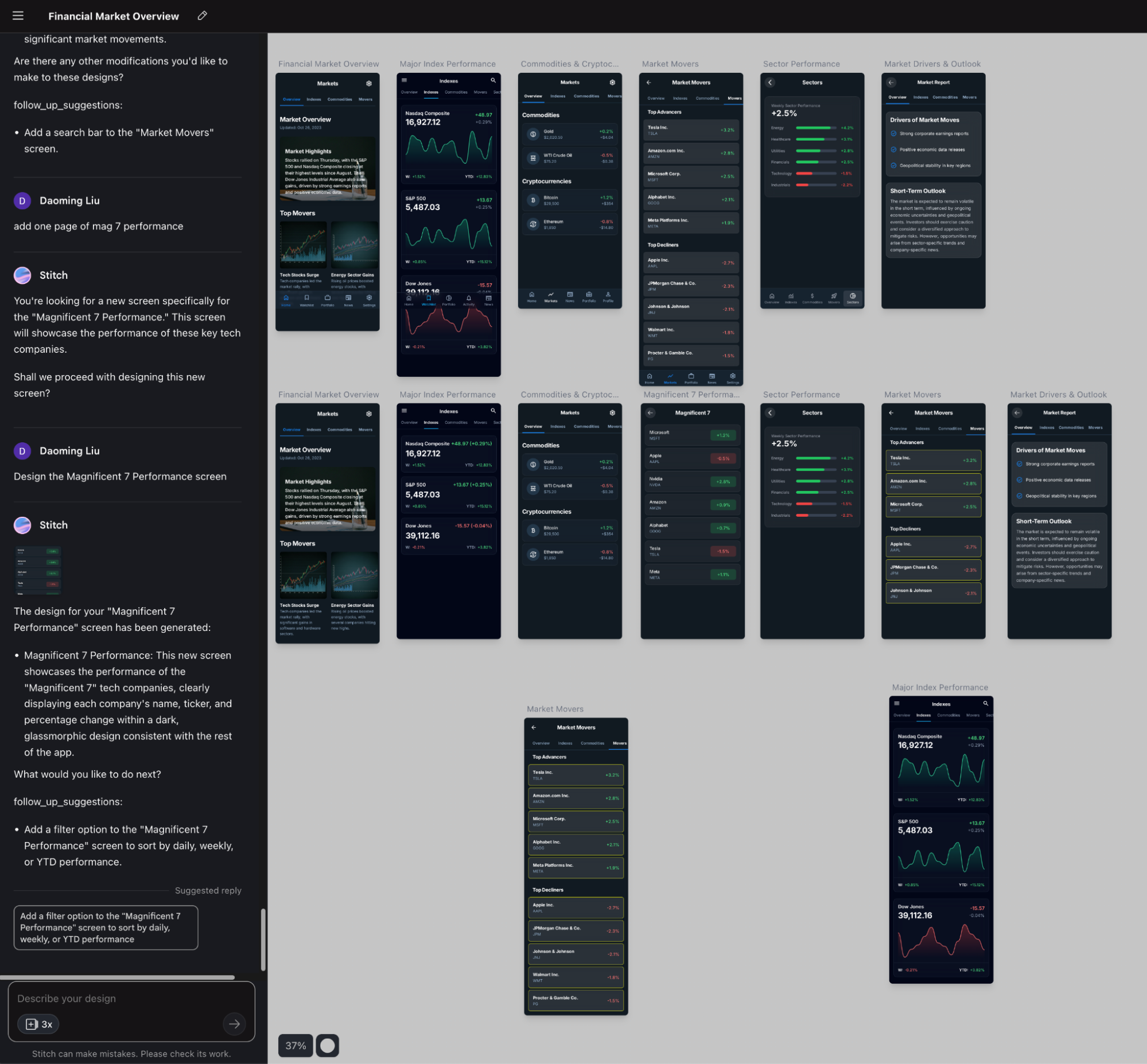
Once I have the design documents and UI design, I return to Build for improvements or even a rebuild. For every project, I have both GPT-5-Pro and Gemini-2.5-Pro Deep Think produce design documents, but I choose Gemini's plan every time. The reason is simple: only Gemini's plan is actionable (whether in Build or other coding environments like Claude or Codex). GPT-5-Pro gives a plan that looks complete and detailed but simply cannot be executed. In coding, while diligence is important, "talent" is more so.
- Improve while using. Applications developed in Build are almost entirely for natively calling the Gemini series models. While using them, you discover bugs, non-user-friendly interface designs, and prompt weaknesses. So, you fix them while using them—vibe working. I constantly go back to Stitch to modify the UI or give Build some templates for visualization results. Of course, if I find a workflow issue or want to add a new feature, I go back to the design phase. The "GOTO" that was strictly forbidden during competitions thirty years ago (many friends are curious about my background lately; this is part of it) has come back quite grandly. It's great!
At this point, I must mention the scenarios Build is suitable for:
- Primarily for small tools, not large projects. I once tried to integrate many functions into one app, which ended up making the processing logic messy. Today's shared app already shows this tendency.
- Directly facing business needs. This is a tricky issue. Build might not be for programmers, but for people who can clearly describe business requirements. However, frankly, it's not that friendly for those with little programming foundation because, during the improvement process, logic often gets heavily rewritten or issues with external library calls arise, requiring experience to help it along.
- Applications that need embedded models but no data persistence. If the app doesn't need to use the Gemini model during operation, you don't need Build. Similarly, unless you "hook up" a backend storage like I do, Build isn't suitable if you want to save runtime data.
In short: light and beautiful AI tool applications; one application solves one problem.
This sharing might be a bit chaotic. I can only optimize it in future projects after sharing.
Teaser for the next project to be unlocked: Deep Company Research: Just enter one ticker, any market.
Raising the unlock conditions slightly. This post needs: OR (12K views, 60 likes, 220 shares).